 Auralis
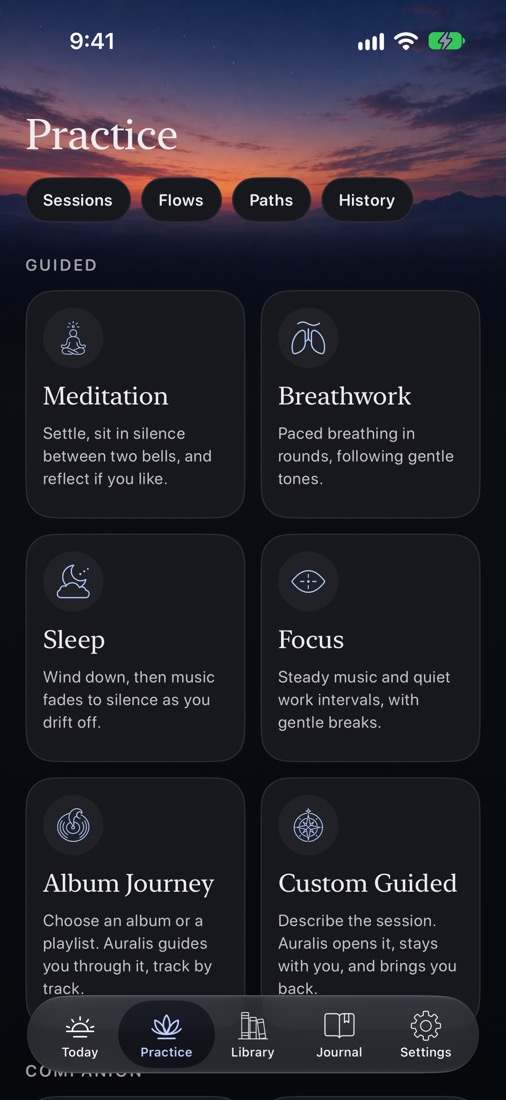
Meditation
Breath, body scan, loving-kindness, counting, noting, Six steps to stillness, Glimpses, Mantra and more, with bells and a silent sit.
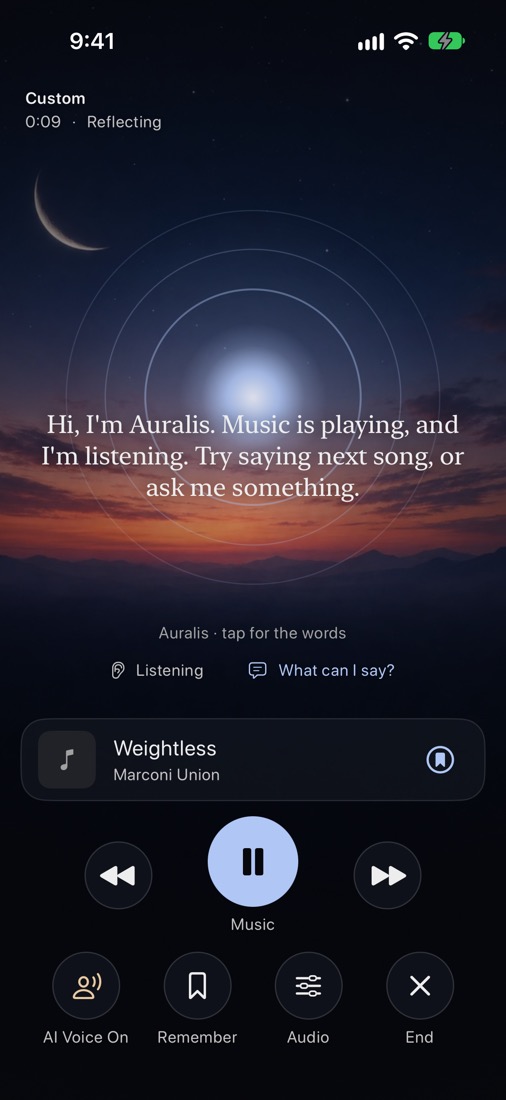
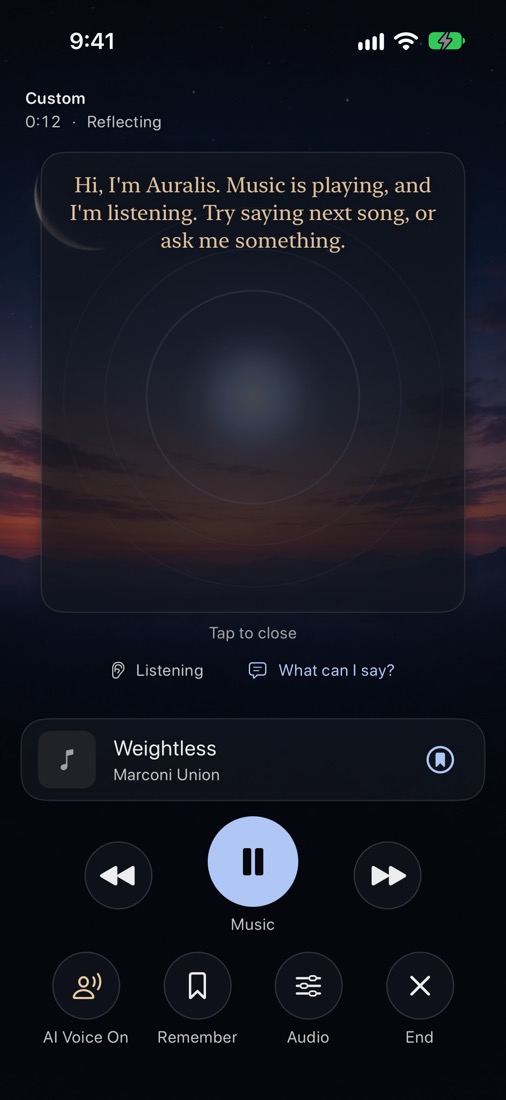
Voice, music and silence together. You speak naturally while music plays. Auralis listens, moves the music toward what helps, and speaks only when it would genuinely help. Silence is a feature, not a bug.
Free. Coming to the App Store; try it now on TestFlight. For iPhone, iPad, Mac and Apple Vision Pro. Requires iOS 27. Headphones recommended.
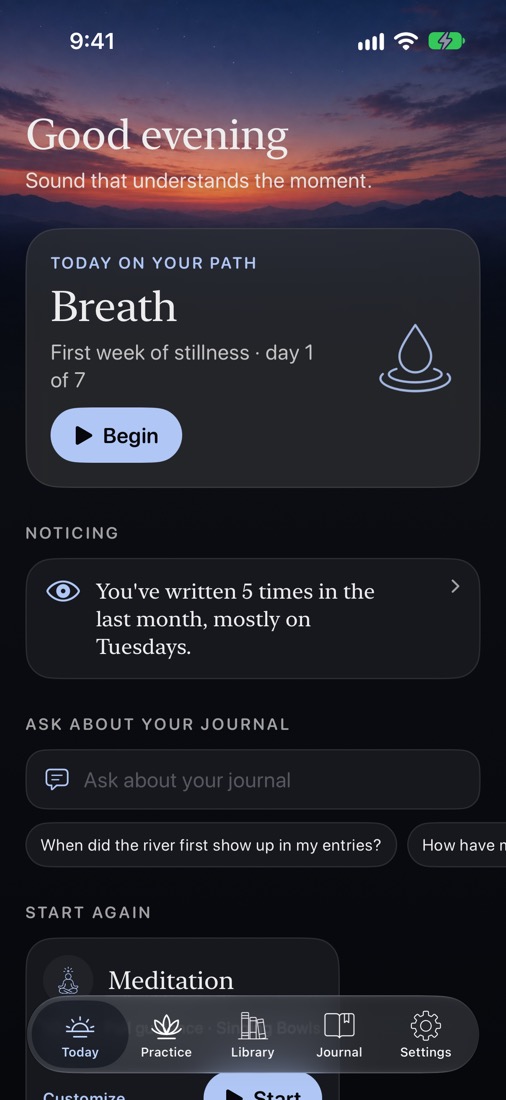
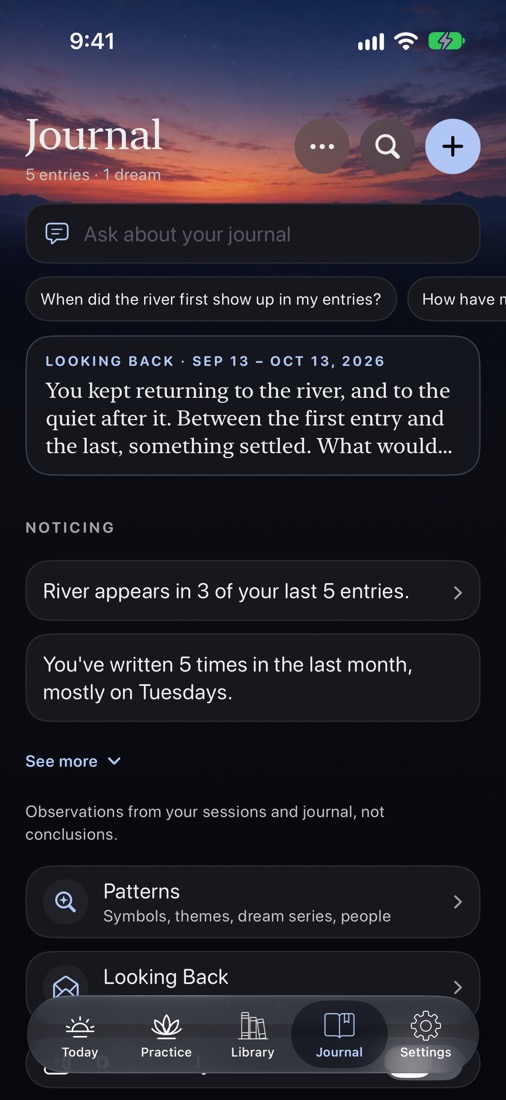
Today brings it into one place: today's path day or what suits the hour, where you left off, what to start again or try next, your recent sessions, your practice over time, something your journal shows, a question to write on, and last night's dream in the morning. The order follows the time of day.
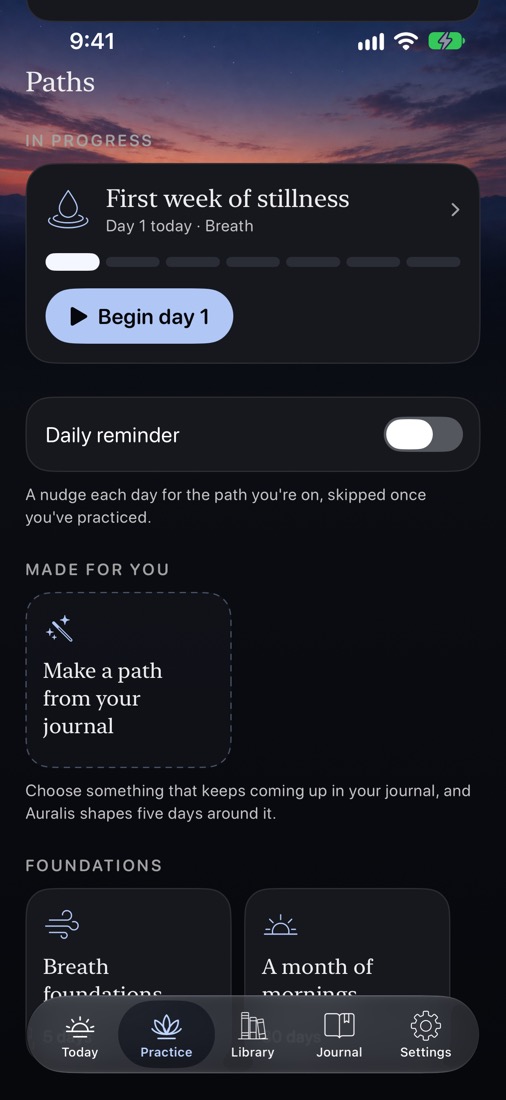
Practice holds every kind of session, flows that combine several into one, and paths of a few days, one session a day.
Guided sessions lead you through; companions follow where you go. Or describe what you want, and Auralis shapes a session around it.
Breath, body scan, loving-kindness, counting, noting, Six steps to stillness, Glimpses, Mantra and more, with bells and a silent sit.
Calm, Box, Resonant, Journey and Sacred breath, paced with gentle tones.
Wind down while the music fades to silence. Ask something as you drift off, even once it's gone quiet, and it answers softly.
Quiet work intervals with gentle breaks, or an album or playlist of your choice, guided track by track.
Walking, running, yoga, qigong, tai chi, stretches and dance, and from the traditions the Eight Brocades, a sun salutation and a prayer walk. Follow a figure that moves with the words; workouts go to Apple Health.
Speak your thoughts. Auralis listens, asks now and then, and makes your entry from what you said, in your own words.
Record a dream as you wake, and Dreamwork to step back into one and find your own meaning.
Learn about anything by voice, part by part, or hear a story told with music: interactive, straight through, or at bedtime.
Explore what's here, one curious question at a time, or turn toward an inner image and speak with it.
17 paths, one session a day: a first week of stillness, a month of mornings, a week of integration after a big experience, sleep, grief, meeting your shadow and more. Each day remembers the days before. Auralis can also shape a path around a theme from your own journal.
Turn on the traditions you practice, several at once, and each adds its own practices, sleep practices, mantras and paths:
Tonglen, centering prayer, lectio divina, Kirtan Kriya, dhikr, the inner smile, hitbodedut, the evening review, and more.
Every tradition is a course, with philosophy, psychology and mythology beside them, and you can follow any topic. Listen to a lesson or read it, ask about it, try a practice, and answer recall questions that come back over the following weeks.
Breathe on your wrist with a circle and a tap at each breath, your heart rate, and Mindful Minutes saved to Health. Start, pause or end a session on your iPhone from the Watch.
Today on Your Path, Quote of the Day, Start a Practice, Your Practice, Write in Your Journal and Record a Dream, on the Home Screen and Lock Screen.
Auralis runs on your Mac as well, and your Mac can lend its much larger model to your iPhone and iPad, at home or away, privately.
A direct, encrypted link set up through your own iCloud. Your iPhone and iPad use the Mac's model for replies, and nothing goes to a service.
A small menu-bar helper that holds the largest model your Mac can run and shares it even with Auralis closed. Turn on Open at Login and forget it.
Sessions, the Journal, paths and the Library on the Mac too, kept the same everywhere with iCloud sync if you turn it on.
Apple's voices, including your own Personal Voice, work out of the box. Download natural voices (Kokoro, an open model) to speak on your device, free and offline. OpenAI's voices are there with your own key, and Auralis Cloud subscribers get natural voices without one.
Free to download
Every session, the Journal, paths, traditions, the Library, Apple Watch and widgets.
$5.99 a month
For replies without an AI key or a Mac: large open models, DeepSeek V4.1 Flash and, for journal reads, DeepSeek V4 Pro, hosted for you through Together AI.
No. Auralis is a companion for practice and reflection, not therapy, medical care or a crisis service, and its health patterns are observations, not advice. If you're in crisis, call or text 988 in the US, or your local emergency number. Need Help in every session has grounding, your trusted contact and emergency services.
Auralis is free to download, with every session, the Journal, paths, traditions and the Library included. Auralis Cloud is an optional $5.99 a month subscription for a large hosted model and voices.
No. With Apple Intelligence, a model you download in Settings, or your Mac sharing its model, Auralis answers on your own devices. Your own key or Auralis Cloud are optional, for larger models.
No audio is ever recorded, stored or sent. The microphone is used for live transcription on your device during a session, and, if you keep music from another app playing, to recognize the song.
Yes. Use Apple Music, or keep whatever is already playing, from YouTube to Spotify, and Auralis guides over the top.
iPhone, iPad, Mac and Apple Vision Pro, with optional iCloud sync between them and an Apple Watch app. It requires iOS 27.
English, Spanish, French, German and Brazilian Portuguese, following your iPhone's language. The natural voices speak English only.
With Share anonymous reports on (Settings → Privacy & Safety; on unless you turn it off), a day's counts of which features were used, and iOS's numbers on crashes, hangs, launch time and battery use. No words, no account and nothing that identifies you, added into daily totals. Turn it off any time.
They go over HTTPS to Auralis's relay, which checks your subscription with Apple and passes them to the model service, then streams the answer back. Neither keeps what you say. Cancel any time, and Private keeps everything on your devices.
Try the one-minute demo when you first open it: say “next song”, ask something, or just listen.